
Software
The Toolbox Comes Home
When Apple retired Classic, the Macintosh Toolbox vanished from the Mac. We have been rebuilding its knowledge, piece by piece, for modern macOS — and it raises an intriguing question: could a Mac run classic applications again?
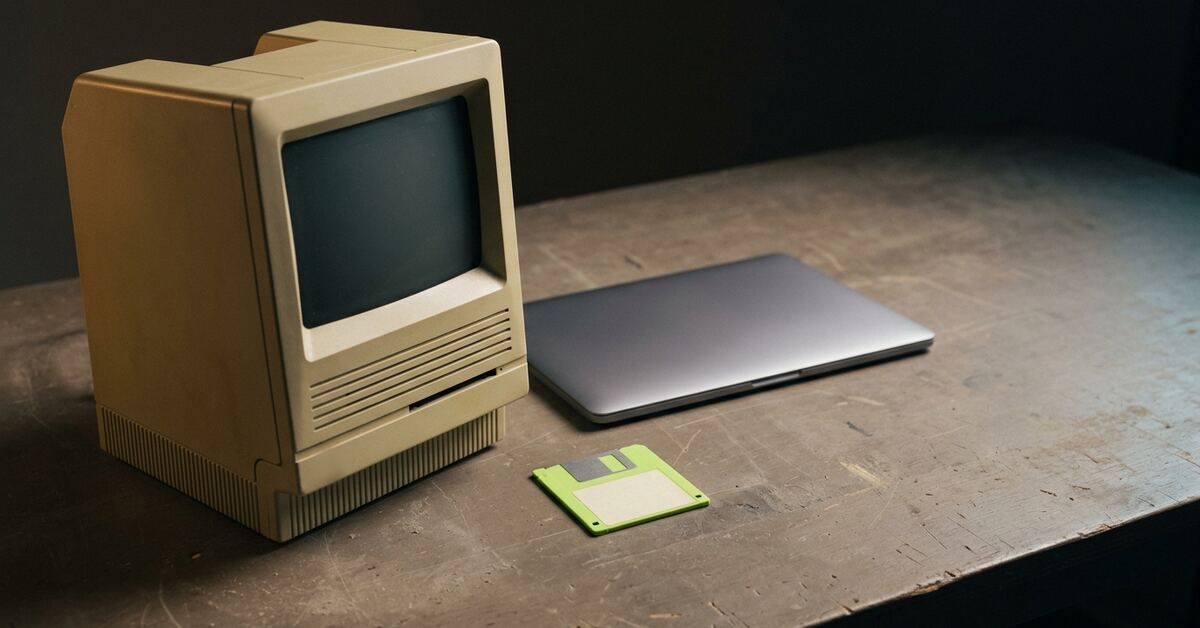
Every Macintosh application written between 1984 and the turn of the century leaned on the same thing: the Toolbox. It was the Mac. Half of it lived in ROM and half in the System file, and it did the work that made a Mac a Mac — the File Manager found your documents, the Resource Manager unpacked their icons, menus and fonts, QuickDraw drew everything you ever saw, and the Printing Manager turned it into something a LaserWriter could understand. An application was, to a remarkable degree, a long series of polite requests to the Toolbox.
Then Mac OS X arrived, and for a while it carried the old world with it. Classic ran Mac OS 9 in a box on the new system, so your old applications kept working. It was a bridge, and it was always meant to be temporary. Intel Macs never ran it at all, and Mac OS X 10.5 Leopard removed it in 2007.
From that moment the Toolbox no longer existed anywhere on a shipping Mac. Not in a framework, not in a compatibility layer, not as a library some developer could call. Your files survived. The knowledge of how to read them did not.
The files outlived the Mac that understood them
This is the problem our Phoenix apps exist to solve. A 1992 floppy is still a perfectly good floppy. The MacWrite document on it is still a perfectly good MacWrite document. What is gone is everything that knew what those bytes meant: which of them was the catalogue, which was the resource fork, which run of text was compressed and how, which font number meant Geneva, what a PICT opcode asked QuickDraw to draw.
Modern macOS cannot tell you. It cannot mount an HFS volume any more, never mind an MFS one. It does not know what a resource fork is for. It has no idea that the date field on a 1994 file counts seconds from 1904, or that it runs out in February 2040.
So we started rebuilding that knowledge. Not as a single app, but as a set of libraries every Phoenix app could share.
Kits, not apps
Early on we made a rule that has shaped everything since: if a piece of code understands something about the classic Mac, it lives in a shared kit, and the apps only call it.
The reason is simple. A bug in one place is a bug you fix once. A bug copied into five apps is five bugs, and they drift apart. So when Disk Phoenix needs to read a resource fork, it asks the resource kit. When PhoenixTalk needs to stamp a date on an AppleShare reply, it asks the date kit. When a future app needs either, the knowledge is already there, already tested, already argued over.
Today there are 37 shared libraries in the Phoenix repository, and roughly 200,000 lines of Swift in them. And somewhere along the way we noticed something about their shape.
- File Manager MFS, HFS, HFS+
ClassicFileSystemKitClassicVolumeKit- Resource Manager
ClassicResourceEditKit- QuickDraw pictures
GraphicIRKitGraphicRenderKit- Font Manager
ClassicFontKit- Script Manager text encodings
ClassicMacEncoding- Color Manager
ClassicColorKit- Printing Manager LaserWriter
PostScriptKitPhoenixPrintCore- AppleTalk Manager
AppleTalkCore+ EtherTalk, LocalTalk-over-UDP, PAP, routing- AppleShare AFP
AFPProtocolCore- QuickTime movies
ClassicMovieKit
Beyond the Toolbox
- disk images and floppy flux
ClassicDiskImageKitClassicFluxKit- StuffIt and friends
ClassicArchiveKit
They line up with the Toolbox.
Not by design, at first. By necessity. To read a classic volume you need what the File Manager knew. To read what is on it you need what the Resource Manager knew. To show a picture you need what QuickDraw knew; to set its text you need what the Font Manager and Script Manager knew; to print it, what the Printing Manager and a LaserWriter knew; to fetch it from a server, what the AppleTalk Manager and AppleShare knew. Each kit grew to answer one of those questions, and each question was a chapter of Inside Macintosh.
That is what we have come to call the Phoenix Toolbox: the Toolbox’s knowledge, rebuilt as modern Swift libraries, for a Mac that had forgotten it.
What it is — and what it is not
It is worth being precise here, because the distinction matters.
The original Toolbox was something applications called. A program said OpenResFile, and the Toolbox opened the file. The Phoenix Toolbox, as it stands, is something that reads. It understands the same structures the original managers understood — volumes, forks, resources, pictures, fonts, dates, protocols — but it uses that understanding on behalf of a modern app, not on behalf of a 68000 program.
So today it does not run classic software. What it does is give modern macOS back the ability to understand classic software’s world.
What that already gives an enthusiast
Quite a lot, it turns out, because most of what we want from old Macs is not the old applications. It is what we made with them, and the conversations they had.
Your disks. Disk Phoenix reads classic volumes — MFS, HFS and HFS+ — from DiskCopy images, raw images, archives, and the magnetic flux captures made by modern floppy-imaging hardware, which preserve what was physically on the disk. It lists them the way the Finder of the day would, with type and creator, icons and comments intact. It also includes a file-system extension built on Apple’s FSKit, so that a classic volume can appear in the modern Finder.
Your documents. Behind the disk sits a translation kit that turns classic documents into files modern applications open. The rule it follows is strict: if the classic software could display it, we should be able to display it. Refusing a format because it is old or awkward is not on the menu.
Your network. PhoenixTalk speaks AppleTalk — LocalTalk, EtherTalk and dial-in — so a real Mac, or an emulated one, can see the modern Mac on the network, browse its zones and mount the volumes it shares. PhoenixPrint presents itself to the network as a LaserWriter, so a classic Mac can print to it and the job lands on a modern Mac as a page.
Every one of those is a Toolbox chapter in modern clothes. None of them needs an old Mac running to work. Though they all work better if one is.
The intriguing question
Which brings us to the thought that will not go away. If we have rebuilt so much of what the Toolbox knew, how far are we from rebuilding what it did?
Could there be something for modern macOS that runs classic Macintosh applications again — not in an emulator that pretends to be a whole 1991 Macintosh, ROM and all, but directly, the application’s own code calling a Toolbox that is ours?
It is not a new idea. In the 1990s, ARDI’s Executor did exactly this commercially: it reimplemented the Toolbox and ran 68K Mac applications on PCs, with no Apple ROM in sight. More recently, Joshua Juran’s Advanced Mac Substitute has shown the same approach still works. It runs early classics such as MacPaint and The Fool’s Errand without a ROM or any Apple system software.
So it can be done. The question is what it would take for us, and what it would be for.
1993
- application
- Toolbox ROM + System file
- A-line trap
- 68K processor
today
- Phoenix apps
- Phoenix kits
- 68K interpreter + trap dispatcher not built
- macOS
- Apple silicon
The missing layer
Look at what a 1990s Mac was doing when it ran an application. At the bottom, a 68000-family processor executed the program’s instructions. Whenever the program wanted the Toolbox, it used a special instruction — an A-line trap, so called because every one of them begins with the hexadecimal digit A — and the processor handed control to the ROM, which looked the trap up in a table and ran the right routine.
That is a remarkably clean seam. Above it: the application, exactly as its developer shipped it. Below it: the Toolbox. If you can execute the application’s instructions, and answer each A-line trap with your own implementation, you never need Apple’s ROM or system software at all. The application cannot tell the difference, provided your answers are right.
We already hold much of what sits below that seam. What we do not have is the seam itself: the 68K interpreter and the trap dispatcher that would let an application’s own code reach our kits.
Small doors first
Here is where the interesting thinking happens, because “run classic applications” turns out to be the hardest possible version of the goal, and there are much easier versions sitting right next to it.
A whole application needs everything: windows, menus, events, dialogs, sound, and a person in front of it. But much of the most valuable classic code does not need any of that.
HyperCard externals. Stacks often depend on XCMDs and XFCNs — small code resources that HyperCard called with a defined interface. A stack player that cannot run them either breaks or quietly does nothing where a button should act. An XCMD host needs the Memory Manager, the Resource Manager and the callback interface Apple documented for HyperCard. It does not need a window in sight.
Translators. Claris’s XTND system let applications share document translators, each a code resource with a defined entry point: bytes in, bytes out. If you can run an XTND translator, you inherit every format it ever understood, without writing an importer for any of them. A translator draws nothing at all.
Whole applications, printing only. For document recovery, an application does not need to be used. It needs to be launched, asked to open a document, and asked to print it. That path still touches a good deal of the Toolbox. But it never has to show a human anything.
- XCMD / XFCNMemory, Resources and the HyperCard callbacks; no QuickDraw
- XTND translatorbytes in, bytes out; draws nothing
- Whole applicationlaunch → open → print: much more Toolbox, still no human
That last point hides a lovely inversion. An emulator’s QuickDraw has to work out every pixel: clipping, patterns, colour tables, the lot. A Toolbox that only needs the document can make QuickDraw a recorder instead. When the application asks for a filled rectangle, we do not paint one. We write down “filled rectangle, here, in this pattern” in the same drawing model our picture kit already uses, and hand that to a modern renderer. Book-keeping and arithmetic, rather than rasterising.
PaintRect
Emulator: rasterise
every pixel computed
Phoenix: record
fill rectangle (rect, pattern)
reads its own pixels back?
There is one thing that would spoil it, and it can only be measured, not argued: an application that reads back what it drew — asking for a pixel’s colour, or copying from its own offscreen drawing. A recorder cannot answer that. Whether the applications we care about ever do it is a question for the emulators on our bench, not for opinion.
What you would bring, and what we would not need
The part that makes this feel less like a fantasy is where the pieces would come from.
A floppy or CD from 1993 almost always carries the application and its documents. Disk Phoenix already reads each application’s bundle resources to learn which documents it owns, so it already knows which program on the disk made which file. Put those together, and the user’s own media supplies the application. We would supply the engine.
No Apple ROM. No Apple system software. Nothing of Apple’s to license or redistribute. And the result would augment our own translators rather than replace them: if the engine cannot run a particular application, you simply get the ordinary translation and never hear about the attempt. Engine output would always be labelled as such, too. A document rendered by running MacDraw itself is a different kind of evidence from one our own parser reconstructed, and an archivist deserves to know which they are holding.
- Your floppy or CDapplication + documents
- Disk Phoenix cataloguethe app’s bundle resources say which documents it owns
- Enginenot built
- Recorded drawing
engine can’t run it → ordinary translation
Could it be a modern macOS extension?
So, back to the question we started with. Could there be an extension for modern macOS that runs classic Macintosh applications?
Honestly: the pieces are lining up, and the shape is clear. Here is what is true today.
- The ground floor exists. Volumes, forks, resources, pictures, fonts, text, dates, printing and networking are all in shared kits now, and macOS already lets an app add a file system to the Finder through FSKit.
- The ceiling has been reached by others. Executor and Advanced Mac Substitute show that a ROM-free Toolbox can run real 68K applications.
- The rules are better than you might expect. Apple’s App Store guidelines now explicitly allow retro PC emulator apps. They also draw a firm line: the guest must never be handed native macOS features. A Toolbox that implements the old APIs itself, and exposes nothing modern to the program it is running, is on the right side of that line by construction.
- The first step is a measurement, not code. Before we write an interpreter, we want a trap census: boot a real System 7 under emulation, run an application through open document, print, and record every trap it calls. If the censuses of several applications overlap heavily, the job is tractable. If each wanders into a different corner of the Toolbox, that is the finding that says don’t start. The census is our go/no-go, and it has not been run yet.
There are honest limits, too. The Toolbox was vast, and real applications patched it, poked at undocumented corners of it and talked to hardware directly. Executor worked on it for years and never reached full compatibility. And PowerPC applications are a separate engine problem altogether; everything here is about 68K code.
But think about what the small doors open. A HyperCard stack player that can run the stack’s own XCMDs. A Claris translator from 1991, lifted off your own floppy, converting documents on a Mac with an M-series chip. A MacDraw drawing printed by MacDraw itself, straight into a PDF.
For nearly two decades, the Toolbox has been something you could only reach by emulating an entire Macintosh. We think it can come home — first as knowledge, which it already has, and then, one small door at a time, as something that runs.
We’ll let you know what the census says.